
Affiliate Disclosure: Truly Preserved is reader-supported. When you buy through links on this page, we may earn a commission at no extra cost to you. As an Amazon Associate, Truly Preserved earns from qualifying purchases. Read our full affiliate disclosure.
Last updated: October 31, 2026
THE SHORT ANSWER
A “mid-batch failure” message with a heater-sensor note points at the heater and temperature-sensing side of the machine, not the food and not the pump. Harvest Right’s own Troubleshooting Guide splits this family into three faults: the machine stopped sensing temperature properly, it stopped detecting heat during drying, or — the one that burns a batch — it detected too much heat because a heater relay stuck closed. If the food is scorched, that batch is done: throw it out, power the machine off, and work the checks below before another tray goes in.
This page started with a large Harvest Right owner whose machine flashed “mid batch failure” partway through a cycle, burned the batch inside, and showed something about a heater sensor she only half remembers. The machine is out of warranty and a ticket is already in with Harvest Right. She is not the first owner to stand in that kitchen, and the failure is not a mystery fault — Harvest Right documents this exact family of messages in its Troubleshooting Guide (Software Version 5.0). What follows is built from that guide, Harvest Right’s official support pages, and what owners report in threads like hers. We work a research desk, not a repair bench: nothing here is us opening a machine up, and the page stops where owner-level checks stop.
Three messages hiding inside “mid-batch failure”
“Mid-batch failure” is how owners remember it. The screen’s actual wording matters, because the guide treats these as three separate faults with three separate first moves:
| What the screen says | What the guide says it means | First move |
|---|---|---|
| Not Sensing Temperature Properly | The shelf temperature sensor is not reporting | Check the shelf cable and its pins |
| Mid-Batch Heater Failure | No heat increase detected during Dry or Final Dry | Press Continue once; if it returns, end the process |
| Detecting Too Much Heat | Heater relay stuck closed; firmware sees 180°F or higher | Power off and unplug the machine |
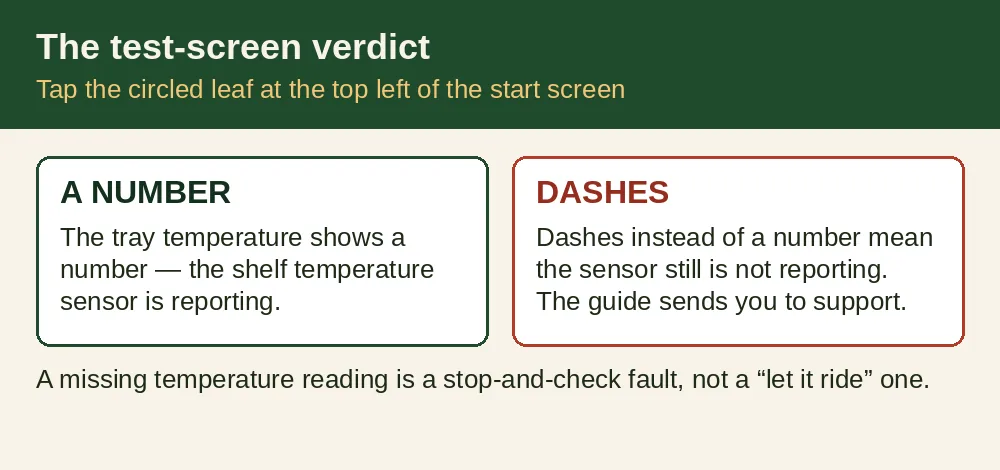
Under the first fault, the guide’s test is simple: on the test screen (tap the circled leaf at the top left of the start screen), the tray temperature should show a number. Dashes instead of a number means the sensor still is not reporting, and the guide sends you to support. Under the second, the guide is blunt about the usual cause: the heaters were working, the food was drying, and then the firmware sensed the heaters quit — “nearly always a sign that the computer relay for the heaters is stuck open.” The third is the dangerous twin: the relay that switches the heaters is stuck closed instead, the heaters cannot turn off, and the guide calls it a “dangerous” condition outright.
Why a heater fault can burn the food
Drying works because the shelves warm the frozen food gently, under vacuum, so ice leaves as vapor instead of melting. That warmth is supposed to cycle — on, off, on — under the control of the temperature sensor and the heater relay. Take the control away and the same warmth becomes an oven fault. If the relay sticks closed, the heater pads just keep heating; the guide says the firmware flags the condition at 180°F or higher and puts up a message telling you to power off and unplug. Late in a batch there is a second problem: most of the water is already out of the food, so there is little left to absorb that heat the way ice does early on. Dry food under runaway shelf heat scorches. That is how a sensor-or-relay fault — a small electronic failure — ends with a burned batch even though nothing in the chamber ever caught fire.
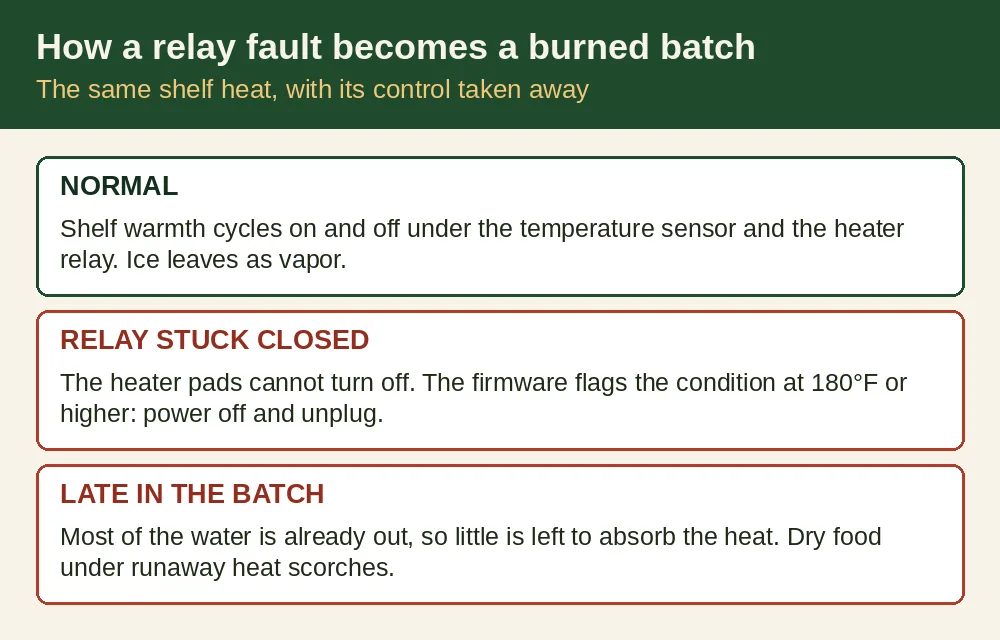
A sensor fault can feed the same fire from the other side. If the machine cannot sense temperature properly, it cannot prove the shelves are at the temperature it thinks they are. That is why the guide treats a missing temperature reading as a stop-and-check fault, not a “let it ride” one.
The owner-level checks, in order
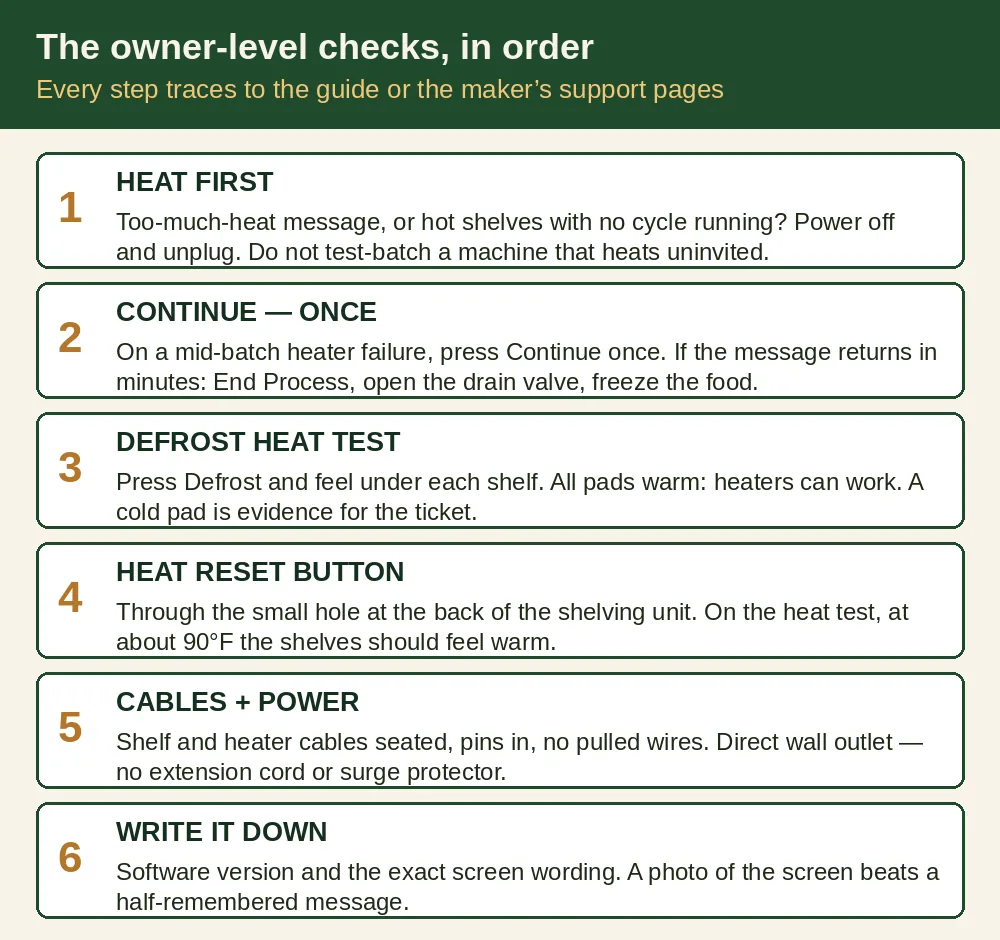
- Heat first, questions later. If the message mentioned too much heat, or the shelves feel hot when no cycle is running, do what the guide says: power the freeze dryer off and unplug it from the wall. Do not start a test batch on a machine that heats uninvited.
- Give Continue exactly one chance. On a mid-batch heater failure, the guide’s first step is the Continue button. If the message comes back within a few minutes, press End Process, open the drain valve, take the food out, and put it in your freezer.
- Run the defrost heat test — with your hand, not a tray of food. Press Defrost, wait a few minutes, and feel under each shelf. The guide’s test is whether all the heater pads are getting warm. Warm pads all round means the heaters can work; put the food back and restart the batch. A pad that stays cold is evidence, and it belongs in your support ticket.
- Press the heat reset button. Harvest Right’s support pages describe a reset button reached through a small hole at the back of the shelving unit. Their heat test runs through the functional test screen: heater on, watch the tray temperature climb, and at about 90°F the shelves should feel warm to the touch.
- Check the shelf cable and heater cable seating. Power off first. The guide for both the sensor fault and the heater fault starts in the same place: is the shelf cable securely connected, are the pins seated in the connector, has a wire pulled out of the heater cable? Harvest Right’s shelf-wiring guide adds a tug test on each wire and a check that the spade connectors on the reset button are fully on. A connector that worked loose is the cheapest ending this story gets.
- Check the power history. Was there a flicker, an outage, a tripped breaker that day? Harvest Right’s power-loss support page has owners reset the breaker, plug the machine directly into a wall outlet (no extension cord, no surge protector, no adapter), and inspect the cord for kinks or damage. A glitch does not explain a burned batch on its own, but support will ask, and “direct wall outlet, dedicated circuit” is the setup these machines want anyway.
- Write down the software version and the exact message. The guide quoted here is written for Software Version 5.0, and wording shifts between versions. A photograph of the screen beats a half-remembered “something about a heater sensor” — it is the difference between support starting at the right fault and starting over.
Where the line is: everything above is power, cables, buttons, and tests the maker itself publishes for owners. Past that line sits the relay board. Harvest Right’s route for a proven relay fault is a replacement computer relay board from them, fitted following their relay-board video — that is a decision to make with support on your ticket, and only if you are genuinely comfortable working inside the machine with it unplugged. Anything involving refrigerant or the sealed refrigeration system is not an owner job at all. If a step cannot be traced back to the guide or the maker’s support pages, it does not belong in your kitchen either.
What to save and photograph for the support ticket
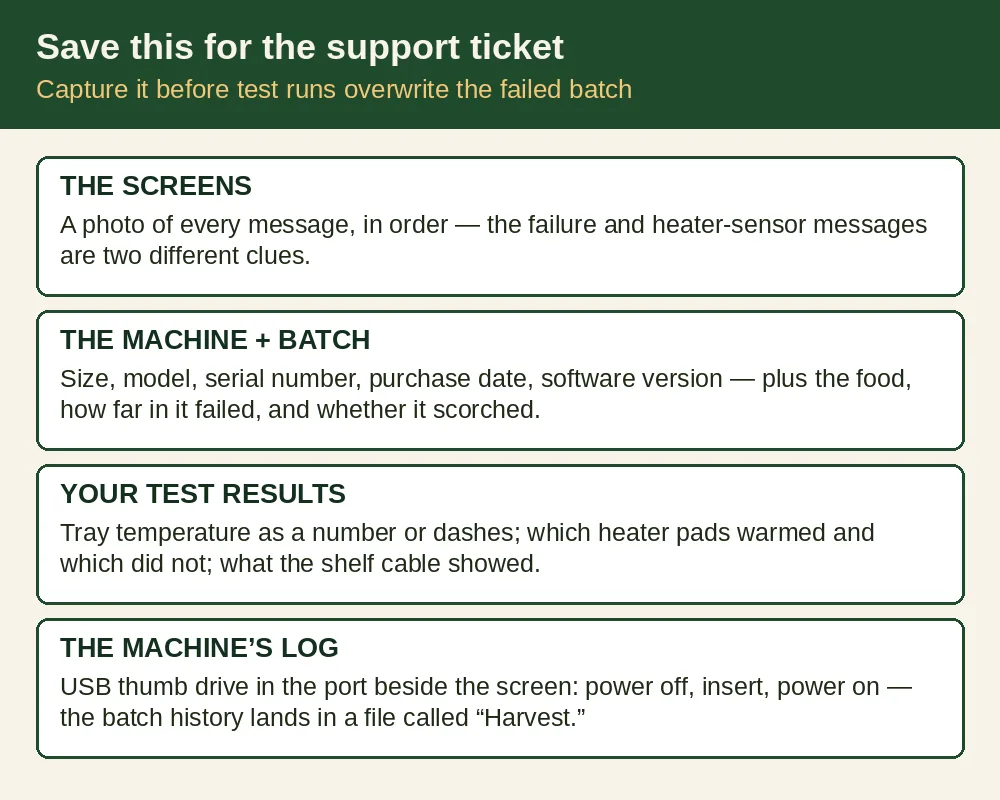
- The screens: a photo of every message the machine showed, in order — the failure message and the heater-sensor one are two different clues.
- The machine: size (hers is a Large), model, serial number, purchase date, and the software version off the screen.
- The batch: what food was in it, roughly how far into the cycle the failure hit, and whether the food came out scorched, warm, or thawed.
- Your test results: tray temperature as a number or dashes on the test screen, which heater pads warmed on the defrost test and which did not, and what you found at the shelf cable.
- The machine’s own log: the guide’s vacuum checklist describes capturing the freeze dryer’s batch history to a thumb drive — power off, insert the drive in the USB port beside the screen, power back on, and the history lands in a file called “Harvest” that you can send to a support technician. Do this before the machine overwrites your failed batch with test runs.
Out of warranty: the honest picture
“Out of warranty” needs unpacking, because Harvest Right’s published warranty is two warranties. Year one from the original ship date covers the whole freeze dryer and pump. Years two and three cover only the sealed refrigeration system — compressor, condenser, evaporator, and tubing — and even then the owner pays diagnostic charges and any transportation costs. A heater relay board or a temperature sensor is not a sealed-system part. So on a machine past year one, expect the board, sensors, and labor to be on you, whatever the refrigeration coverage still says.
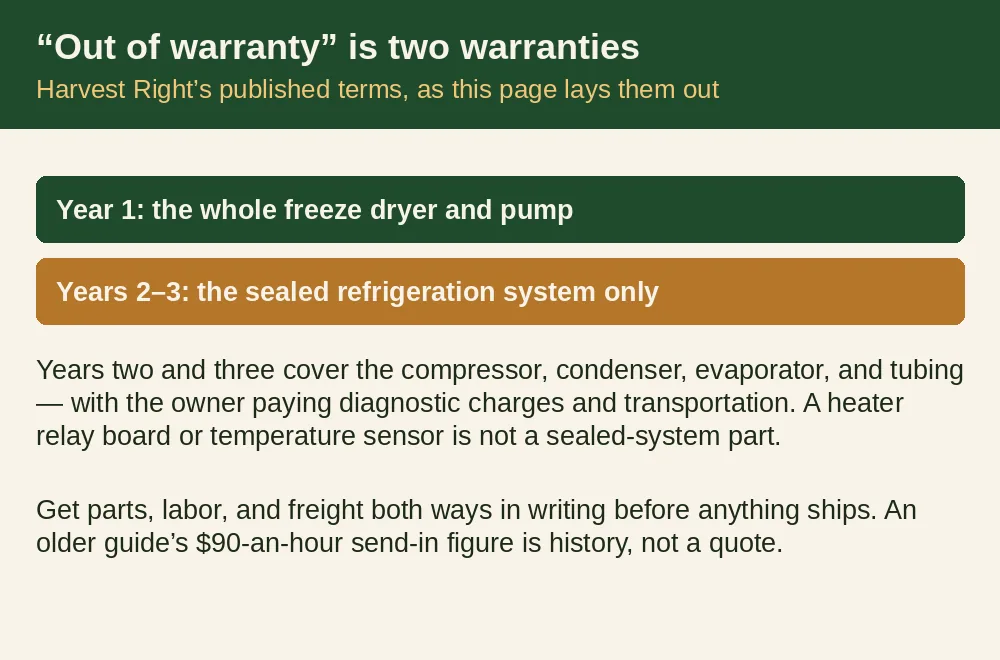
Two cost warnings from the record. First, get the full number — parts, labor, and freight both ways — before anything ships anywhere; owners who have sent machines back report freight alone running to hundreds of dollars. Second, an older edition of the Troubleshooting Guide lists send-in refrigeration repair out of warranty at $90 an hour; treat that as history, not a quote, and get today’s figure on your ticket in writing. The relay-board route, if support confirms the diagnosis, is normally the cheaper ending: a part shipped to you instead of a machine shipped to Utah.
Can the burned batch be saved?
No — not the scorched part, and this is the plain answer the original thread needed. Food that has burned has burned all the way through its flavor; there is no trimming your way back to a tray of anything you would serve, and freeze drying it again does not un-burn it. Throw it out.
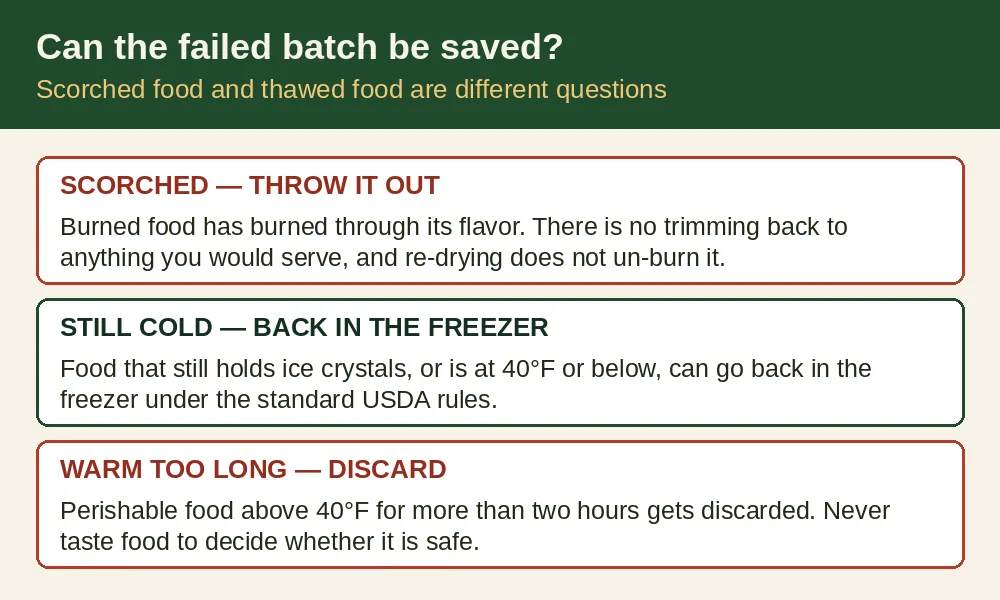
The narrower question — food from a failed batch that is warmed or partly thawed but not scorched — follows the standard USDA rules we use on every outage page: food that still holds ice crystals or is at 40°F or below can go back in the freezer; perishable food that sat above 40°F for more than two hours gets discarded, and you never taste food to decide whether it is safe. A batch that failed with runaway heat was not sitting at 40°F. If part of the load never got hot and stayed cold, judge that part by the temperature rules. The scorched trays are not a judgment call.
Before the next batch
Once the machine checks out, the unglamorous habits in our Harvest Right sizes comparison are what keep it that way — pump oil every 20 to 30 batches, and the circuit notes for the bigger machines, since a Large wants its electrical setup taken seriously. If this failure has you weighing repair against replacement, the same page and our home freeze dryer comparison lay out what the current machines cost to own. And if your machine’s symptom is the opposite one — running, but silent and never getting cold — that fault has its own page: why is my freeze dryer running but silent and not freezing?
Questions people also ask
Has anyone else had a mid-batch failure like this?
Yes. It is common enough that Harvest Right gives it its own numbered error in the Troubleshooting Guide — Error #3, mid-batch heater failure — and the guide names the stuck-open heater relay as the cause in nearly every case. You are not describing a one-off.
Can I just press Continue and let the batch finish?
Try Continue once; that is the guide’s first step. If the message returns within a few minutes, the fault is real, and running on only risks the food. End the process, freeze the food, and run the defrost heat test instead.
Should I run a test batch with food to see if it happens again?
No. Every test the guide and the support pages prescribe — the tray-temperature screen, the defrost heater-pad test, the reset-button heat test — runs empty. Sacrificing another batch of food to learn what an empty test tells you free is a bad trade.
My machine is out of warranty. Is it worth fixing?
Usually, if the diagnosis is the relay board: a board and an afternoon against the price of a new Large machine is not a close call. It stops being obvious if support wants the whole machine shipped back — get parts, labor, and freight in writing first, then decide.
Related questions
- Why is my freeze dryer running but silent and not freezing?
- How long does opened freeze-dried food last?
- What foods can’t you freeze dry?
This question sits in What People Are Asking About Freeze-Dried Food — the full list of freeze-dried questions from real forums, each with a short answer.
Talk it over with other readers
The Truly Preserved Community on Facebook is where readers compare notes on food storage, water, and backup power — and where your questions help decide what we research next.